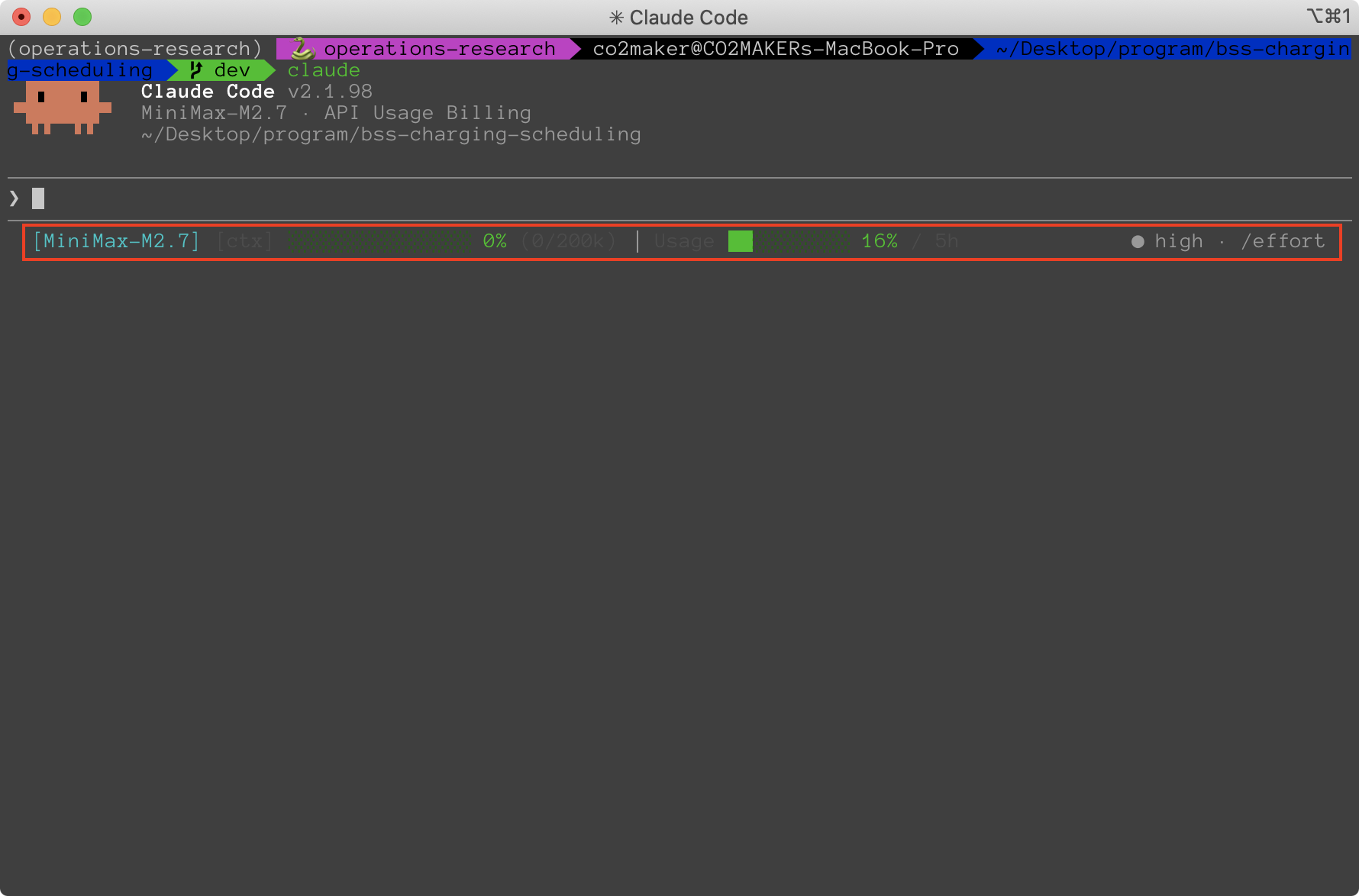
最近用了一段时间Claude Code(CC)来写一篇工作的实验代码。通过在项目中贴上算法的notes,配合稍微详细一些的引导提示词,Minimax M2.7也还能完成大部分内容,特别是一些简单重复的劳动。在使用过程中,尽管知道不会触碰5小时600次调用的上限,但还是不时想去看看官网看看Token Plan的用量。一来二去,觉得比较麻烦。于是探索了一下CC的statusline。目前已有非常多的优秀实现,如claude-hud, ccstatusline等,但大多只支持Claude的模型。在找了很久之后发现了一个适配Minimax的项目,minimax-hud。如下图所示,该插件能够实现在statusline中显示context window占用和5小时用量。
1 安装#
在~/.claude/plugins/marketplaces中,
1
2
3
4
5
6
7
8
9
| # 1. Clone this repo
git clone https://github.com/Fighting05/minimax-hud.git
cd minimax-hud
# 2. Install dependencies
npm install
# 3. Build
npm run build
|
等待构建完成后,dist目录下会生成相应的代码。
2 配置#
接下来是配置CC来使用上一步中构建完成的代码,首先在~/.claude/settings.json中,增加
1
2
3
4
5
6
| {
"statusLine": {
"command": "bash -c '\"/path/to/node\" \"/path/to/minimax-hud/dist/index.js\"'",
"type": "command"
}
}
|
注意,这里command对应的第一个路径是node的安装路径,第二个是项目build后的路径。
然后, 新建一个~/.claude/plugins/marketplaces/minimax-hud/config.json
 1
 2
 3
 4
 5
 6
 7
 8
 9
10
11
12
13
14
15
16
17
18
19
20
21
22
| {
"language": "en",
"lineLayout": "expanded",
"gitStatus": {
"enabled": false,
"showDirty": false,
"showAheadBehind": false,
"showFileStats": false
},
"display": {
"showModel": true,
"showProject": false,
"showContextBar": true,
"contextValue": "percent",
"showUsage": true,
"usageBarEnabled": true,
"showTools": false,
"showAgents": false,
"showTodos": false,
"sevenDayThreshold": 5
}
}
|
完成后,重启CC即可实现在statusline中查看context window占用和5小时使用量。